Split Text
The Split Text component splits data into chunks based on parameters like chunk size and separator. It is often used to chunk data to be tokenized and embedded into vector databases. For examples, see Use embedding model components in a flow and Create a Vector RAG chatbot.
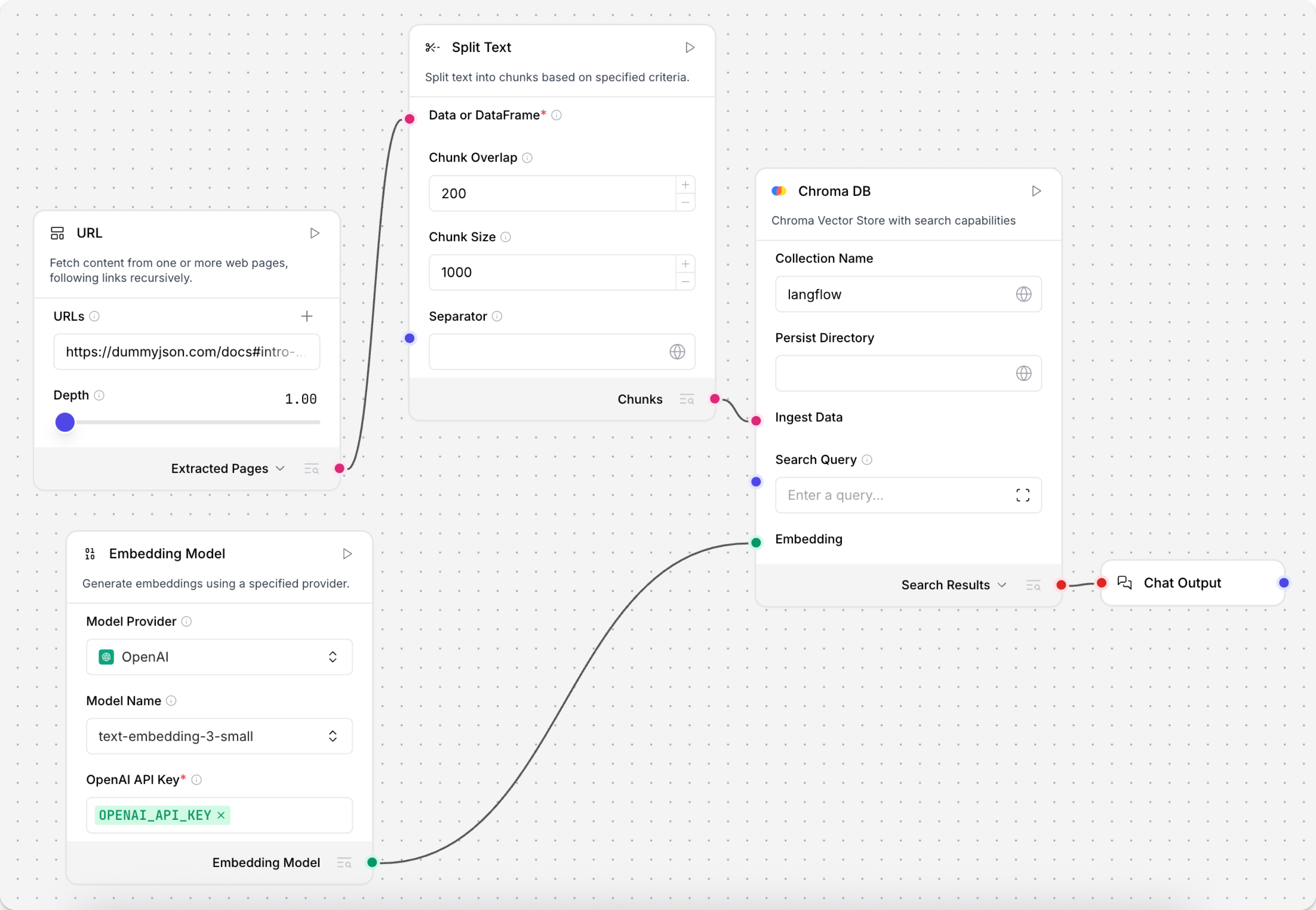
The component accepts Message, JSON, or Table, and then outputs either Chunks or DataFrame.
The Chunks output returns a list of JSON objects containing individual text chunks.
The DataFrame output returns the list of chunks as a structured Table with additional text and metadata columns.
Split Text parameters
The Split Text component's parameters control how the text is split into chunks, specifically the chunk_size, chunk_overlap, and separator parameters.
To test the chunking behavior, add a Text Input or Read File component with some sample data to chunk, click Run component on the Split Text component, and then click Inspect output to view the list of chunks and their metadata. The text column contains the actual text chunks created from your chunking settings. If the chunks aren't split as you expect, adjust the parameters, rerun the component, and then inspect the new output.
Some parameters are hidden by default in the visual editor. You can modify all component parameters through the component inspection panel that appears when you select a component.
| Name | Display Name | Info |
|---|---|---|
| data_inputs | Input | Input parameter. The data to split. Input must be in Message, JSON, or Table format. |
| chunk_overlap | Chunk Overlap | Input parameter. The number of characters to overlap between chunks. This helps maintain context across chunks. When a separator is encountered, the overlap is applied at the point of the separator so that the subsequent chunk contains the last n characters of the preceding chunk. Default: 200. |
| chunk_size | Chunk Size | Input parameter. The target length for each chunk after splitting. The data is first split by separator, and then chunks smaller than the chunk_size are merged up to this limit. However, if the initial separator split produces any chunks larger than the chunk_size, those chunks are neither further subdivided nor combined with any smaller chunks; these chunks will be output as-is even though they exceed the chunk_size. Default: 1000. See Tokenization errors due to chunk size for important considerations. |
| separator | Separator | Input parameter. A string defining a character to split on, such as \n to split on new line characters, \n\n to split at paragraph breaks, or }, to split at the end of JSON objects. You can directly provide the separator string, or pass a separator string from another component as Message input. |
| text_key | Text Key | Input parameter. The key to use for the text column that is extracted from the input and then split. Default: text. |
| keep_separator | Keep Separator | Input parameter. Select how to handle separators in output chunks. If False, separators are omitted from output chunks. Options include False (remove separators), True (keep separators in chunks without preference for placement), Start (place separators at the beginning of chunks), or End (place separators at the end of chunks). Default: False. |
Tokenization errors due to chunk size
When using Split Text with embedding models (especially NVIDIA models like nvidia/nv-embed-v1), you may need to use smaller chunk sizes (500 or less) even though the model supports larger token limits.
The Split Text component doesn't always enforce the exact chunk size you set, and individual chunks may exceed your specified limit.
If you encounter tokenization errors, modify your text splitting strategy by reducing the chunk size, changing the overlap length, or using a more common separator.
Then, test your configuration by running the flow and inspecting the component's output.
Other text splitters
Was this page helpful?
